My Responsive Design Process (So Far)

In response to this recent Twitter conversation… here’s a quick overview of the design process I’ve been using for a responsive design project I’ve been working on.
I quickly settled on using InDesign for the following reasons…
Multiple Pages
No explanation needed. Having more than one page is a good thing. I’m looking at you Photoshop.
Multiple page spreads with variable page sizes
This is a killer feature for responsive stuff in CS5+. It allows to you create side by side pages, each with a unique width and document grid. In CS6, there will be something similar which they’re calling “Alternate Layout“
“Photoshop Includes”
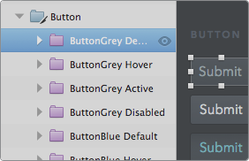
Using InDesign doesn’t mean that I need to stop using Photoshop completely. Right now I have separate Photoshop documents for the site’s header and footer, which allows me to make quick updates in a global header.psd file, and have the changes update across every InDesign page. InDesign also has the ability to selectively hide or show layers in an imported psd, which is helpful for showing drop down menus, hover states, etc.
Character & Paragraph Styles
These come pretty close to mimicking CSS styles, and allow me to quickly make global changes to my type styles.
Tables
I hate making tables in Photoshop. And yes… I know hate is a strong word. Making tables in InDesign however is a pretty simple process. But just like the original coders out there quickly learned, tables aren’t just useful for tabular data. I’m using them in a bunch of areas in my design where I need the content to easily expand or contract when I change it’s width.
Anchored Objects
This is a feature that allows you to paste a graphic or a text frame inline with your flow of text. This is great for keeping any little icons or article images flowing correctly even when adjusting page widths.
Upcoming InDesign Features
There’s a few new features that are coming out in CS6 that should make designing responsive sites a little more bearable.
Liquid Layout
Adobe describes this as: “Liquid page rules to automatically adapt content when you create an alternate layout with a different size or orientation in InDesign.” Sounds good to me. Can’t wait to see how if holds up with more complex pages.
Linked Content
The InDesign feature page describes this as “Link content within or across InDesign documents so that changes (including interactivity) made to the parent text or object are applied to all linked children objects.” I envision this functioning similar to a text-based php include. Make a text change in one of your layouts, and have it update across the rest of them.
“Love to have” Features
Snap to Pixel Grid
Right now I’ve set my document grid to 1px increments which helps, but it would be great to have an option to force everything to align to the grid.
Symbol Library
InDesign has a “library” feature where you can store and reuse commonly used design snippets, but it doesn’t have the ability to update those snippets globally. You can however, embed InDesign documents inside of InDesign documents… which gets you most of the way there.
Custom Page Titles or Page Folders
Managing a ton of pages can be tough, and only having the page numbers to go by doesn’t make it any easier.
Putting it all together.
One thing that I hate more than creating tables in Photoshop is writing. So instead of describing how I set my files up, and how all these things work together, I figured it would be easier to just create an InDesign document that uses Bootstrap’s grid dimensions, and let you download it for yourself.
Download InDesign 5.5 File
Download InDesign IDML File
I’ll do my best to update this post as I refine my procedure. No promises.
Some current postings at Authentic Jobs ∞
Just a few jobs that caught my eye this week…
Etude promoted in an Apple ad. ∞
I gotta admit… it feels pretty gratifying to have an app I designed featured in an Apple advertisement. Even if it is just an html email. Just noticed it’s on their store homepage too!

Some current postings at Authentic Jobs ∞
Just a few jobs that caught my eye this week…
New Year, New Authentic Jobs Promotion: 50% off any listing ∞
Get a jump start on hiring new employees and finding freelance contractors with Authentic Job’s annual New Year’s promotion: 50% off any listing. Use my promotional code to get the discount.
TWELVE31
Take advantage of the promotion while it lasts. Expires midnight on January 12.
I’ve used the original Mockapp Keynote library in the past and thought it was a fantastic resource. This looks even better.
They may see a problem with our design, but instead of describing the problem by saying something like “You know, the home page just doesn’t feel ours enough. It still feels a little generic to me. I don’t think it reflects the personality of our company quite yet” they propose a solution and say “I think the logo should be bigger. Way bigger.”
Great tip.
I recently had the opportunity to work with Steinway & Sons on their new Etude iPad app & website. It’s always refreshing to work with quality photography, and even more refreshing when the final product is professional shot. These images didn’t work so well in the portfolio but I had to post them somewhere!


Some current postings at Authentic Jobs ∞
Just a few jobs that caught my eye this week…
Keegan Sparks - Photographer ∞
Over the summer I had a chance to spend some time in Switzerland with some photography students from John Brown University. Realizing that this was the perfect opportunity to finally get a decent photo of myself, I asked a few of the students “Who would be the best among you for doing portraits?”. Every one of them gave me the same answer. Keegan Sparks.
I asked Keegan for a photo that would work decently at small sizes (for avatars, etc) and I’m quite happy with what he delivered. I usually end up looking super awkward in photos, and he managed to snag one of me where I’m looking surprisingly normal.
If you’re from Keegan’s neck of the woods (or even if you’re not) I’d definitely get in touch if you need some photography done. Great guy to work with… and talented as heck.
The kind folks over at Fotolia.com were kind enough to send over some promo codes to share with my readers. Each code is valid for 14 days and up to 3 image downloads per day (XXL subscription – not credits).
- EEUGLFRY
- GPR9NTSA
- XOCNNKBW
Simply fill out this form and enter in one of the above promo codes. Get em while they last!
Some current postings at Authentic Jobs ∞
Just a few jobs that caught my eye this week…
Designing faster with a baseline grid ∞
Recently, we’ve been successfully experimenting with a 6px baseline grid coupled with the traditional 960px grid system. This system has three advantages:
- first, it simplifies the design process by removing the “chance” factor (no more questions);
- second, it decreases the time spent at positioning elements;
- third, it increases the feeling of organization in our design by articulating all the graphic elements with type.
Method & Craft explores the creative mind and the beauty within each pixel.


Help Wanted